
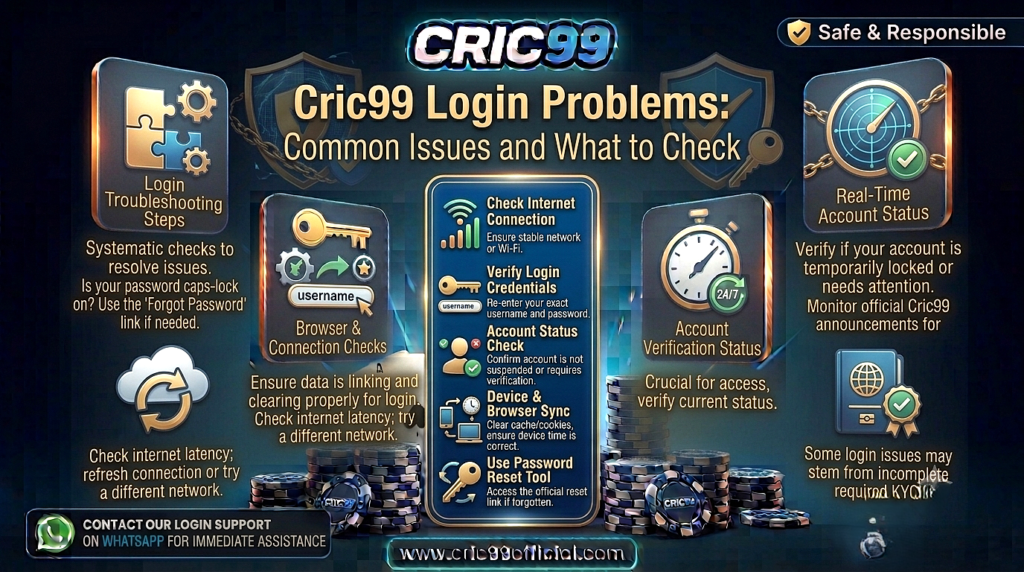
Cric99 login problems can happen for several reasons, and an incorrect password is only one of them. An old password saved in the browser, a mistyped account ID, delayed verification code, unstable internet connection or account-related restriction can all prevent normal access.
The quickest way to deal with a Cric99 login error is to identify where the login is failing before changing anything. If the website itself will not open, resetting your password probably will not help. If the page loads normally but rejects your credentials, checking the account ID and password makes more sense.
This guide takes a problem-first approach to Cric99 access. Find the situation that matches what you are seeing, complete the relevant checks, and only move to account recovery or support when the simpler explanations have been ruled out.
First, Identify Your Cric99 Access Problem
Before troubleshooting, look at what actually happens when you try to sign in.
| What You See | Where to Start |
| Website does not open | Connection/browser |
| Login page opens but credentials fail | ID/password |
| OTP does not arrive | Verification/contact method |
| Page keeps refreshing | Browser/session |
| Login works on one device only | Device/browser |
| Password was recently changed | Saved credentials |
| Account says verification required | Account verification |
| Account shows restricted/locked | Account status |
| Login succeeds but a feature does not work | Feature-specific issue |
This distinction matters because “I cannot login Cric99” can describe several completely different situations.
Start with the symptom rather than assuming the cause.
Problem 1: Cric99 Says Your ID or Password Is Incorrect
If the login page opens normally but rejects your credentials, enter both pieces of information again carefully.
Do not rush this step.
Check for accidental spaces, incorrect capitalization and typing mistakes. Mobile keyboards can also automatically capitalize the first character or replace text unexpectedly.
If your browser fills the credentials automatically, clear both fields and enter them manually.
This is particularly useful if you changed your password recently. Your browser may still be supplying the old password every time you open the login page.
If manual entry works, update or remove the outdated saved credential.
Problem 2: You Have Forgotten Your Password
A forgotten password is different from a password that you believe is correct but that suddenly stopped working.
If you genuinely cannot remember the password, repeated guessing is usually not useful.
Use the password-recovery option available for the account.
Depending on the recovery process, you may need access to a registered contact method or complete another authentication step.
Choose a new password that you have not used elsewhere.
For the complete recovery process, see Cric99 Password Reset: What to Do If You Cannot Log In. That guide focuses specifically on forgotten passwords, recovery verification and what to do when a new password is still rejected.
Problem 3: You Reset the Password but Still Cannot Log In
This is where many users immediately reset the password a second time.
Don’t.
First make sure the login form is actually using the new password.
Password managers and browsers can continue inserting the previous credential after a reset. Delete the autofilled password and manually type the new one.
Also check that you are using the correct account ID.
If both are correct, close and reopen the browser before trying again.
The important question is whether the new password itself is being rejected or whether an old saved password keeps replacing it.
Those are different problems.
Problem 4: Cric99 Login OTP Is Not Arriving
If the login process asks for an OTP but you do not receive one, repeatedly pressing “send again” may make the situation more confusing.
Start with your phone.
Check that it has a mobile signal and can receive ordinary SMS messages. If the registered number is visible, confirm that it is correct.
Wait briefly for a delayed message before requesting another code.
If several OTPs eventually arrive, older codes may no longer be valid. Use the code associated with the most recent active request.
Most importantly, keep the OTP private.
A person offering to solve a login problem does not need you to read out an authentication code so that they can “check” the account.
Problem 5: You Receive an OTP Without Trying to Log In
This deserves a different response.
If you did not initiate a login, password reset or verification process, do not share or enter the unexpected code.
Someone may simply have entered the wrong information, but an unexpected OTP can also indicate an attempted account action.
If it happens repeatedly, consider reviewing the security of your account and changing the password if you have reason to believe someone else knows it.
Our Cric99 Account Security: How to Protect Your Account guide explains unexpected OTPs, phishing links, reused passwords and suspected unauthorized access in more detail.
Problem 6: The Cric99 Login Page Will Not Open
If the login page itself is unavailable, there is little value in changing your credentials yet.
Test another website first.
Other Websites Do Not Load
The problem may be your internet connection.
Check Wi-Fi or mobile data and reconnect if necessary.
Other Websites Load Normally
Now the issue is more specific.
Refresh the Cric99 page, close and reopen the browser, and check the address you entered.
If you are using a smartphone, switching between your normal Wi-Fi and mobile data can help identify whether the problem is connection-specific.
Do not respond to an unavailable page by searching for random alternative login domains and entering your credentials into the first one that works.
Problem 7: Cric99 Keeps Refreshing After Login
A page that repeatedly returns to the login screen can indicate a browser or session issue rather than an incorrect password.
Try closing the browser completely and reopening it.
If the problem continues, test the account in another current browser on the same device.
This is a useful diagnostic step:
Works in Browser A but not Browser B?
The issue may be browser-specific.
Fails in both browsers?
Look at the account or connection next.
Avoid changing five settings simultaneously. Troubleshooting is much easier when you change one thing and observe what happens.
Problem 8: Cric99 Works on Desktop but Not on Your Phone
If the same credentials work on a computer but fail on a smartphone, your account itself is probably not the first thing to investigate.
Check the mobile browser and saved credentials.
Your phone may have an old password stored even though the desktop has the new one.
Also check whether the mobile page is loading correctly and whether your phone has a stable internet connection.
For mobile-specific troubleshooting, Cric99 Mobile Guide: How to Access Cric99 on Your Phone covers browser access, mobile layouts, connections and smartphone security.
The fact that one device works is valuable information. Use it to narrow the problem instead of resetting an account that is already functioning elsewhere.
Problem 9: The App Is Not Letting You Log In
Again, separate the application from the account.
Try browser-based access if it is available.
If the browser accepts the same credentials but the app does not, the Cric99 access problem may be limited to the application.
If both reject the credentials, investigate the account login instead.
Do not download a different APK from an unfamiliar website simply because your existing app stops working.
Cric99 App Guide: What Users Should Know About Mobile Access explains app availability, browser access, APKs and home-screen shortcuts separately.
Problem 10: Login Requires Account Verification
Sometimes a user can enter the correct credentials but still cannot proceed normally because another account requirement appears.
If the screen specifically asks you to verify account information, treat it as a verification issue.
Read what information is being requested.
Do not repeatedly reset the password if the account is clearly telling you that identity or account verification is required.
The relevant resource in that situation is Cric99 Account Verification: Why KYC May Be Required, which explains why verification can appear and how it differs from ordinary login authentication.
Solving the right problem is usually faster than trying every available account option.
Problem 11: Your Account Shows as Restricted or Locked
A restricted account should not automatically be treated as a forgotten-password issue.
Read the notice shown on the account or login page.
If it gives a reason or next step, start there.
Avoid creating another account simply to bypass a restriction. Account ownership and multiple-account rules may apply, and a second registration may not solve whatever affected the original account.
Our Cric99 Terms and Conditions: Important Points to Understand explains why users should check current account rules concerning eligibility, verification, account use and restrictions.
If the restriction is unclear and normal account options do not resolve it, that may be the point where support becomes relevant.
Problem 12: Login Works, but Deposits or Withdrawals Don’t
This is technically not a login problem.
If you can enter your account and reach the account area, your login has succeeded.
A failed deposit should be investigated as a payment problem.
A pending withdrawal should be investigated as a payout or verification problem.
Resetting your password because a withdrawal has not arrived adds an unrelated change to the situation.
For money-related troubleshooting, use Cric99 Payment Methods Explained: Deposits and Withdrawals rather than continuing to troubleshoot login.
This distinction may sound obvious, but it prevents a surprising amount of unnecessary account recovery.
Did You Recently Change Your Cric99 Account Details?
Think about what happened immediately before the login problem began.
Did you:
- Change the password?
- Change registered contact information?
- Switch to a new phone?
- Clear your browser data?
- Start using a different browser?
- Install or remove an application?
- Lose access to your registered mobile number?
The timing can reveal the cause.
For example, a login problem beginning immediately after changing a password makes outdated saved credentials worth checking.
A problem beginning after switching phones makes device configuration or access to the registered contact method more relevant.
Troubleshooting should follow the evidence you have rather than a fixed list of resets.
Be Careful When Searching for a Cric99 Login Page
Login problems can make users less cautious because they are focused on regaining access.
If your normal page is not working, do not enter your ID and password into every Cric99-branded page you find.
A fake login page can be designed to collect credentials.
Check the website address before entering account information and be particularly careful with links sent through WhatsApp, Telegram, SMS or unsolicited email.
If someone messages you immediately after you mention a login problem publicly and offers to “restore” the account, do not send them your password or OTP.
The urgency of needing access should not override normal security checks.
When Should You Stop Troubleshooting and Request Help?
Not every login problem requires support.
A mistyped password, weak connection or stale browser credential can often be resolved without account-specific assistance.
Support becomes more relevant when:
- Correct credentials continue to be rejected after basic checks.
- Account recovery does not work.
- You no longer have access to a required recovery method.
- The account shows a restriction you cannot resolve.
- Verification prevents access and the normal process is not progressing.
- You suspect unauthorized account changes.
Before requesting Cric99 help, note the exact error message and what you have already tried.
Cric99 Support Guide: What to Check Before Requesting Help explains how to prepare a useful support request without exposing sensitive information.
What to Include When Reporting a Login Problem
A useful login report can be short.
For example:
“My account ID is being accepted, but my password is rejected. I completed password recovery and manually entered the new password rather than using autofill. The same error continues in two browsers.”
That tells someone much more than:
“Cric99 login not working.”
Mention the device, browser and exact error where relevant.
Do not include the password itself.
There is no reason to prove that your password is correct by sending it to another person.
A Quick Cric99 Login Troubleshooting Order
If you are unsure where to start, use this order:
1. Does the website load?
If no, investigate connection/browser access.
2. Are you on the intended login page?
Check before entering credentials.
3. Is the account ID correct?
Enter it manually.
4. Is the password correct?
Remove old autofill and type it manually.
5. Forgotten password?
Use account recovery.
6. OTP required?
Check your registered contact method and keep codes private.
7. Verification message displayed?
Follow the verification process rather than resetting the password again.
8. Account restricted?
Read the account notice and applicable rules.
9. Works on another device/browser?
Investigate the original device rather than the account.
10. Still unresolved?
Prepare the error details and use the appropriate support route.
This sequence moves from simple technical explanations toward account-specific ones without changing unnecessary settings along the way.
Frequently Asked Questions About Cric99 Login Problems
Possible causes include incorrect credentials, an old autofilled password, connectivity problems, browser issues, incomplete verification or an account-specific restriction. The exact error shown during login is the best place to start.
Read the error first. If it concerns credentials, manually re-enter your ID and password. If it concerns verification or account status, follow the instructions associated with that issue instead.
Your browser or password manager may still be filling the old password. Clear the field and manually enter the new credential.
Check your mobile connection and registered contact information where available. Wait briefly before requesting another code and use the newest valid OTP. Never disclose the code to another person.
The problem may involve the phone’s browser, connection or saved credentials. If the account works elsewhere, investigate the affected device before resetting the account.
Read the verification request and complete the legitimate account process where required. Verification is separate from entering the correct password.
Do not create another account simply to solve an access problem. Try account recovery first and review applicable rules concerning multiple accounts.
Consider support after basic troubleshooting and normal account recovery have failed, or when the issue involves an unresolved restriction, verification problem or suspected unauthorized account change.
Conclusion
Cric99 login problems become much easier to troubleshoot when you stop treating every access failure as a password problem.
First identify what is actually happening. If the website will not load, investigate the connection. If credentials are rejected, manually check the ID and password. If an OTP is missing, focus on verification delivery. And if the account specifically says verification or restriction is required, deal with that issue rather than repeatedly resetting your password.
Testing another browser or device can also tell you whether you have an account problem or simply a local technical issue.
Most importantly, do not let the urgency of regaining access lead you to unsafe shortcuts. Check login pages carefully, keep passwords and OTPs private, and use account recovery or appropriate support when the basic checks no longer explain the problem.
Disclaimer: This article provides general information about Cric99 login troubleshooting. Specific login procedures, verification requirements, account restrictions and recovery options may change and should be checked through the current platform. Never share passwords or OTPs with another person. Users should also comply with applicable minimum-age requirements, platform terms and laws in their jurisdiction. Real-money betting involves financial risk and does not guarantee profit.