
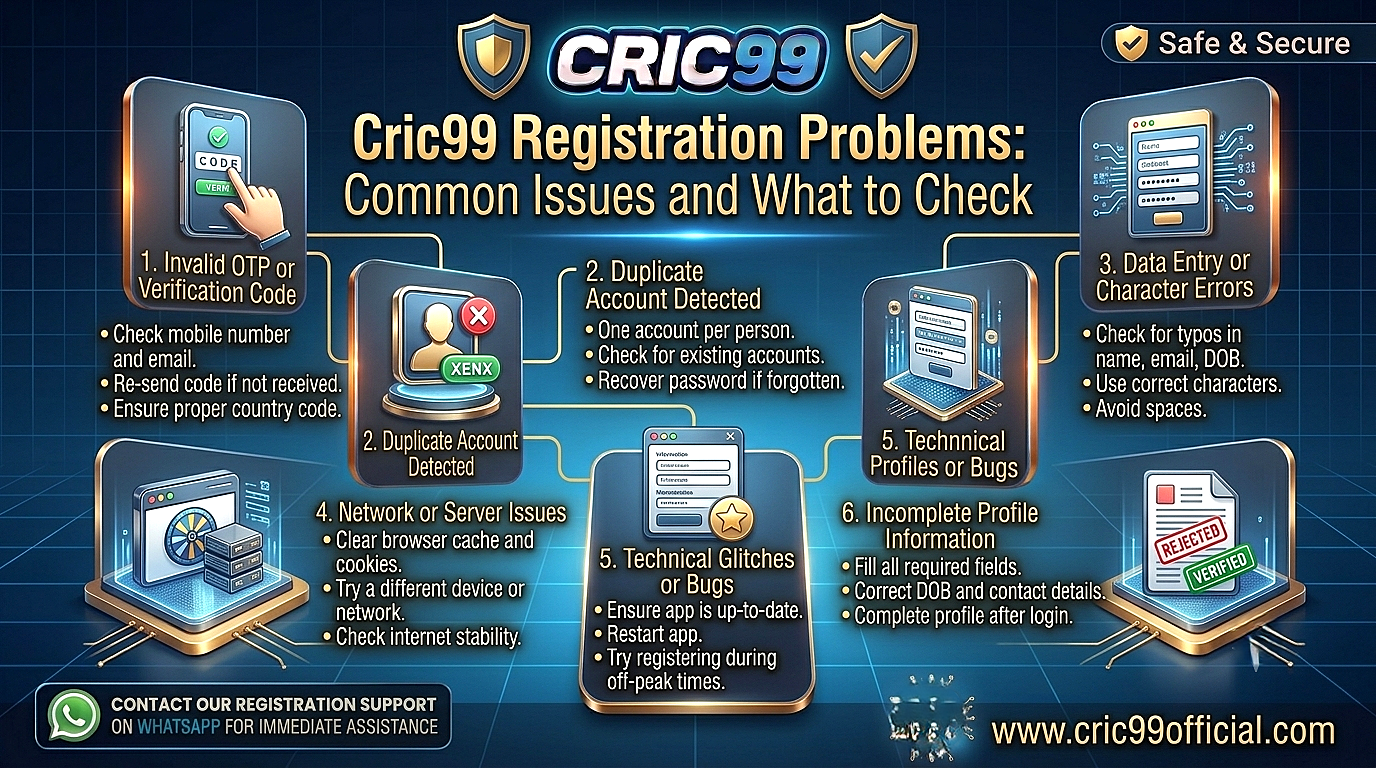
Cric99 registration problems can appear at different points in the sign-up process. Sometimes the registration form will not submit. In other cases, an OTP does not arrive, a mobile number is already associated with an account, or information entered in the form is rejected.
The useful question is not simply, “Why cannot I register Cric99?” It is where does the registration stop? A form-validation error needs a different solution from an existing-account message, and neither should be handled like an OTP problem.
This guide works from the point of failure. Find the stage where your Cric99 sign up problem occurs, understand what it may indicate, and check the simplest explanations before repeatedly submitting the form or creating different account details.
Where Does Your Cric99 Registration Stop?
Think of registration as a short sequence rather than one action:
Open registration → Enter details → Submit form → Verify information → Account created
A problem at each stage tells you something different.
| What Happens | What to Check First |
| Registration page will not open | Browser, connection and page |
| Register button does nothing | Required fields and browser |
| Form highlights a field | Format or missing information |
| Mobile number already exists | Possible existing account |
| OTP never arrives | Number, network and verification |
| OTP is rejected | Expired/older code or typing error |
| Registration stops at verification | Verification requirement |
| Page freezes after submission | Check whether account was created |
| Account created but login fails | Login credentials rather than registration |
Identifying the stage can prevent you from making unnecessary changes.
Problem 1: The Registration Page Does Not Open
If you cannot reach the registration form, you do not yet have a registration-data problem.
Start with the connection.
Open another website to see whether your internet is working normally. If other pages are also unavailable, reconnect to Wi-Fi or mobile data before doing anything with the Cric99 account.
If other websites work, reload the page or reopen your browser.
On a phone, switching between your usual Wi-Fi and mobile data can help determine whether the problem is connection-specific.
Most importantly, do not respond to an unavailable registration page by entering your personal information into an unfamiliar Cric99-branded website.
Check the address before submitting registration details.
Problem 2: The Cric99 Registration Form Will Not Submit
You complete the form, press Register, and nothing happens.
Before pressing the button repeatedly, look back through the form.
A required field may be empty or contain information in a format the form does not accept.
Some registration pages highlight the affected field, display a short error underneath it or show a notice near the top of the form.
Scroll through the entire page rather than assuming the button itself is broken.
Also check whether you need to acknowledge any applicable terms before submission.
If the form genuinely appears unresponsive, try refreshing carefully. Remember that refreshing can clear information you have already entered.
Problem 3: “Invalid Information” or Similar Registration Error
A Cric99 registration error involving invalid information should be handled field by field.
Do not replace genuine details with random information simply to make the error disappear.
Check:
- Accidental spaces
- Typing errors
- Incorrect number format
- Incomplete required fields
- Password requirements
- Information entered in the wrong field
If a particular field is highlighted, focus there first.
For example, if the password field is marked as invalid, changing your mobile number is unlikely to help.
The form itself may specify the format or requirement it expects. Follow the current instructions shown during registration.
Problem 4: Your Mobile Number Is Rejected
A mobile-number error can mean several things, so read the message carefully.
The number may have been entered incorrectly or in an unsupported format. There may also already be an account associated with that number.
Those situations require different responses.
First, check the digits.
If they are correct and the message indicates that the number is already registered, consider whether you have created an account previously.
Do not automatically use another person’s number simply to get through registration.
Your registered contact details can later become important for OTPs, password recovery and account verification.
Problem 5: “Account Already Exists”
This is not necessarily a registration failure.
It may mean you no longer need to register.
Users sometimes forget that they created an account previously, particularly if they have not accessed it for a long time.
If the mobile number or other account information is already associated with an existing profile, look at account login or recovery rather than repeatedly creating new registrations.
Start with Cric99 Login Guide: How to Access Your Account if you know your credentials.
If you remember the account but not the password, Cric99 Password Reset: What to Do If You Cannot Log In is the more appropriate next step.
This is also why registration and login troubleshooting should remain separate.
Problem 6: Cric99 OTP Is Not Arriving During Registration
You complete the form correctly, but the verification code never appears.
First check the mobile number you entered.
A single incorrect digit means the OTP may never reach you.
If the number is correct, check whether your phone currently has a mobile signal and can receive SMS messages.
Then wait briefly.
OTP delivery is not always instantaneous, and repeatedly requesting codes within seconds can make troubleshooting harder.
If several codes arrive later, pay attention to which one belongs to the most recent active request.
And remember: an OTP is an authentication code. Enter it yourself through the registration process rather than giving it to someone offering to “complete registration” for you.
Problem 7: The OTP Arrives but Is Rejected
This is different from not receiving the code.
Start by entering it again carefully.
If you requested multiple OTPs, make sure you are not entering an older code after a newer one was issued.
Temporary codes can also expire.
If the page specifically says the OTP has expired, request a new one through the normal process rather than repeatedly entering the old code.
Avoid sharing screenshots containing an active OTP when asking someone about the error.
Problem 8: Your Password Is Not Being Accepted
Registration forms can apply password requirements.
Instead of repeatedly creating different passwords at random, read any instruction displayed beside the password field.
The current form may indicate required length or other password conditions.
Whatever password you choose, it should also be unique.
Do not use the same password you use for your primary email, banking or other important accounts.
Once registration succeeds, Cric99 Account Security: How to Protect Your Account provides a deeper explanation of password reuse, OTP security, phishing and account protection.
Registration is the best time to establish good security—not after the account has already been compromised.
Problem 9: The Form Says Your Details Don’t Match
A mismatch can become particularly important when identity or age information is involved.
Check what you entered against your genuine details.
Do not intentionally change your name, date of birth or other identity information just to make the form proceed.
Why?
Because registration information can become relevant again if the account later requires verification.
An incorrect detail that seems harmless today can create a mismatch when genuine information needs to be confirmed later.
If verification becomes part of the process, Cric99 Account Verification: Why KYC May Be Required explains why account information and identity details may need to correspond.
Problem 10: Registration Stops at Verification
If the account specifically requests verification, you have moved beyond a simple form-submission problem.
Read what is being requested.
Basic contact verification and detailed identity verification are not necessarily the same process.
Do not upload unrelated documents simply because registration has stopped.
Where documentation or additional information is requested, follow the requirements shown for that verification stage.
Users dealing specifically with KYC can refer to Cric99 KYC Verification: Requirements and Process Explained for more detail about identity checks, document quality and information mismatches.
Problem 11: The Page Freezes After You Press Register
This situation requires caution because the registration may have been submitted even though the confirmation screen did not load correctly.
Do not immediately submit the entire form several more times.
First, check whether you received any registration confirmation, OTP or other account-related message.
If appropriate, try the login page using the credentials you just created.
If the account exists, there is no reason to keep registering.
If nothing indicates that registration succeeded, reopen the registration process and check its status.
This simple check can prevent multiple attempts when the first submission actually worked.
Problem 12: You Registered but Cannot Log In
At this point, the registration itself may already be complete.
If you received confirmation that the account was created, treat the next failure as a login problem.
Make sure you are using the account ID or credential generated or registered during sign-up and the correct password.
Check whether your browser has accidentally saved a different password.
If the login page displays a specific error, troubleshoot that error rather than completing registration again.
Our Cric99 Login Problems: Common Issues and What to Check guide covers rejected credentials, missing OTPs, browser problems, verification messages and device-specific login failures.
Problem 13: Registration Works on Desktop but Not Mobile
This is useful diagnostic information.
If the same registration process works correctly on a computer, your information may not be the problem.
The phone’s browser, page rendering or connection may be involved.
Try a current mobile browser and make sure the page has fully loaded before completing the form.
Be careful when autofill inserts names, phone numbers or email addresses. Mobile autofill can occasionally place information into the wrong field without the user noticing.
For broader smartphone access information, see Cric99 Mobile Guide: How to Access Cric99 on Your Phone.
Problem 14: A Referral or Promo Code Does Not Work
An optional code should not automatically be treated as a broken registration process.
First determine whether the field is actually required.
If it is optional and you do not have a valid code, follow the current registration instructions rather than obtaining codes from random social-media accounts.
If you do have a code and it is rejected, check for a typing mistake and whether any conditions displayed for the code apply.
Do not provide false account information merely to qualify for a promotion.
A promotional benefit is not worth creating inaccurate registration information that could affect the account later.
Don’t Create Multiple Accounts to Fix One Registration Problem
When registration fails repeatedly, creating accounts with different phone numbers, names or email addresses can seem like an easy workaround.
It can create a more complicated situation instead.
Account rules may apply to multiple registrations and account ownership.
If you suspect an account already exists, recover that account before trying to create another one.
If the platform has rejected your registration for an eligibility or account-specific reason, changing identity information is not an appropriate solution.
For the broader rules users should understand, see Cric99 Terms and Conditions: Important Points to Understand.
Check Eligibility Before Troubleshooting Too Far
Not every blocked registration is a technical problem that needs to be bypassed.
Account creation can be subject to age, location and other eligibility requirements.
If you do not satisfy an applicable requirement, changing information to make the registration form accept you is not legitimate troubleshooting.
Users should provide genuine information and comply with the rules applicable to their location.
Accessibility of a website should not be confused with eligibility to use real-money betting services.
When a Cric99 Sign Up Problem Is Actually a Browser Problem
A useful test is to ask:
Does the same form fail in another browser?
If registration works in another current browser using the same genuine information, the original browser may be responsible.
Browser extensions, stored data or outdated software can sometimes interfere with forms.
Try closing and reopening the browser before making more complicated changes.
Avoid installing unknown software that claims it is required solely to register.
A normal registration problem should not be used as a reason to install an unrelated APK or browser extension from an unfamiliar source.
Don’t Ignore Registration Security
Registration is the moment when several important pieces of account information come together.
You may be entering a mobile number, email address, password and potentially other personal information.
Check the page before submitting those details.
Be cautious with registration links received through unsolicited WhatsApp, Telegram, SMS or social-media messages.
A copied sign-up page can look convincing while collecting everything entered into it.
Also avoid letting someone else “register the account for you” if doing so requires giving them passwords or OTPs.
Account credentials should remain under your control from the beginning.
When Should You Ask for Cric99 Help?
Consider support when you have identified the actual registration problem and the normal process does not resolve it.
For example:
“My genuine mobile number is being shown as already registered, but I do not remember creating an account.”
is a useful problem description.
So is:
“The registration form accepts my information, but verification repeatedly fails after I enter the newest OTP.”
Before requesting assistance, note the exact error wording and what you have already tried.
Cric99 Support Guide: What to Check Before Requesting Help explains how to prepare an account issue clearly while keeping passwords and OTPs private.
A Better Way to Troubleshoot Cric99 Registration
Instead of restarting registration from the beginning every time, follow the failure point:
Page won’t open?
Check access and connection.
Form won’t submit?
Review required fields.
Specific field rejected?
Correct that field using genuine information.
Number already registered?
Investigate an existing account.
OTP missing?
Check the number and mobile connection.
OTP rejected?
Check whether the code is current.
Verification required?
Complete the relevant verification process.
Account appears to have been created?
Move to login.
Login fails after successful registration?
Troubleshoot login rather than registering again.
This approach is faster because each step responds to what the platform is actually telling you.
Frequently Asked Questions About Cric99 Registration Problems
A registration problem can involve the form, account information, OTP verification, an existing account, browser issues or eligibility requirements. Check the exact stage where registration stops.
Read the error carefully. If a particular field is highlighted, check its format and make sure the information is complete and accurate rather than changing unrelated fields.
It may already be associated with an existing account. If you previously registered, use login or account recovery instead of automatically creating another account.
Confirm the mobile number, check your signal and wait briefly before requesting another OTP. Never give the code to another person.
You may be entering an older, expired or mistyped code. If multiple codes were requested, use the newest valid code for the current verification attempt.
Check whether the account was actually created before submitting the form again. Look for confirmation and, where appropriate, test the credentials on the login page.
You should use genuine, accurate information. Do not falsify identity, age or other account details simply to bypass a registration requirement.
Do not assume another account is the solution. First determine whether you already have an account and review the applicable rules concerning multiple accounts.
Conclusion
Cric99 registration problems are easier to solve when you identify the exact point where sign-up stops.
A page that will not load needs access troubleshooting. A rejected field needs accurate information in the required format. A missing OTP needs contact and network checks. And a message saying an account already exists should usually move your attention from registration to login or account recovery.
Avoid repeatedly submitting forms, creating multiple accounts or changing genuine personal information just to get past an error.
Most importantly, keep security part of the registration process itself. Check the page before entering personal information, create a unique password and never hand an OTP to someone offering to complete the account setup for you.
If the normal checks do not resolve the issue, record the exact error and seek the appropriate assistance rather than guessing at workarounds.
Disclaimer: This article provides general information about Cric99 registration troubleshooting and does not confirm specific current registration fields, eligibility requirements or verification procedures. Users should check the platform’s current instructions and terms, meet applicable minimum-age requirements and comply with laws in their jurisdiction. Real-money betting involves financial risk and does not guarantee profit.