
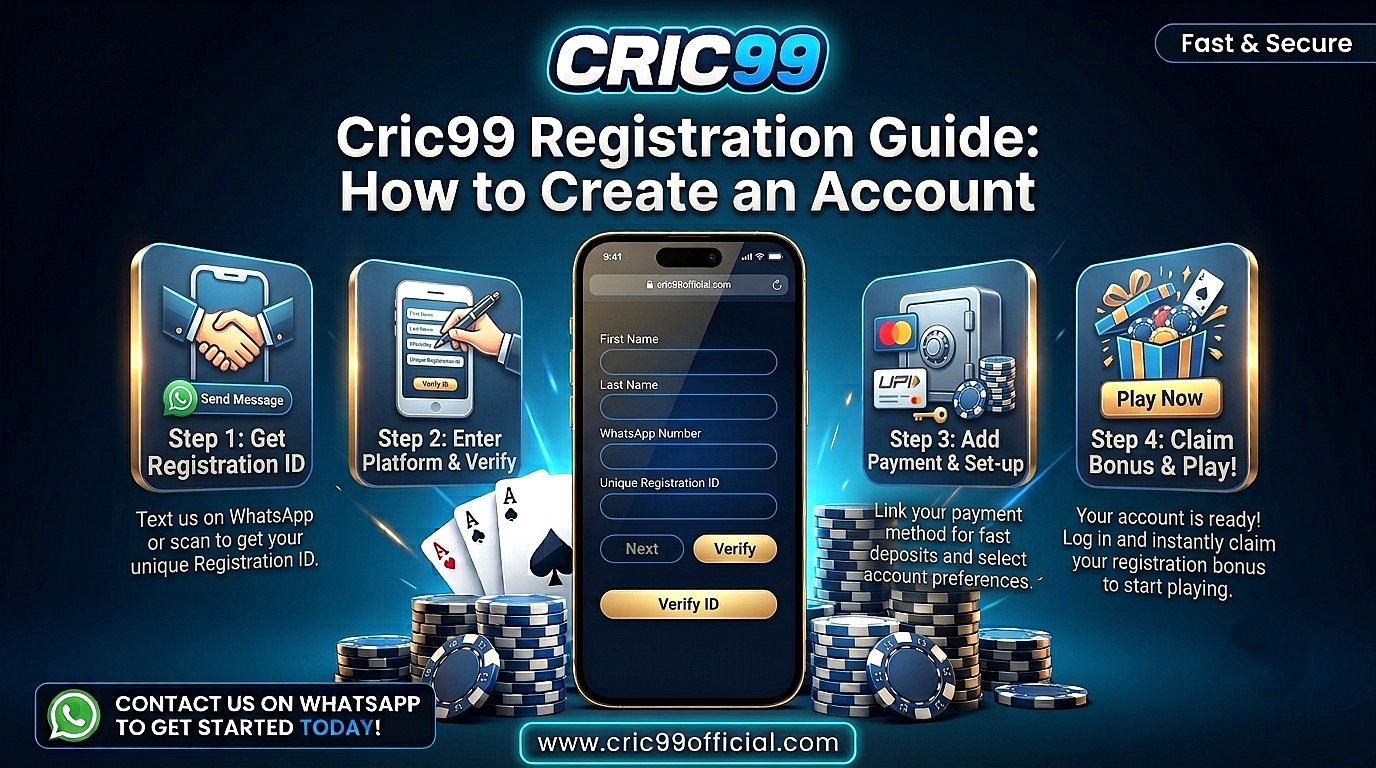
Cric99 Registration Guide: How to Create an Account
Cric99 registration is the process new users follow to create an account and receive the login details needed to access the platform. The process generally involves providing basic account information, creating a password and completing any verification required during sign up.
This guide explains how Cric99 registration generally works, what information may be needed to create an account, what to check before registering, and how to keep your account details secure after registration.
What Is Cric99 Registration?
Cric99 registration refers to the account creation process for new users who want to access the platform. Once registration is completed, the user receives or creates the account credentials needed for future login.
Registration and login are two different processes. Registration is for creating a new account, while login is for accessing an account that already exists.
The exact registration fields and verification requirements may change, so users should follow the instructions displayed on the Cric99 platform at the time they create an account.
Before You Register on Cric99: What to Check
Before starting the Cric99 registration process, there are a few basic checks worth making. These can help prevent account, security and verification problems later.
Age Requirements
Real-money betting platforms have minimum-age requirements. Make sure you meet the age requirement stated by the platform and any minimum age required by the laws that apply in your location.
If you do not meet the required age, do not attempt to create an account.
Local Laws
Online betting and gaming rules vary between countries and regions. In India, the legal position can also differ between states.
Check the rules that apply in your location before registering or providing personal information to a real-money betting platform.
Website Address
Make sure you are using the intended Cric99 website before entering your name, mobile number, email address or other personal information.
Avoid registration links received from unfamiliar sources through WhatsApp, Telegram, social media or unsolicited messages. Check the website address carefully before continuing.
Platform Terms
Read the relevant terms and conditions before creating an account. Pay particular attention to account eligibility, verification, deposits, withdrawals and any restrictions that may apply.
Understanding these conditions before registration can help avoid confusion after the account has been created.
Financial Risk
Creating an account does not guarantee any financial benefit. If the platform involves real-money betting, there is always a possibility of losing money.
No registration offer, bonus or betting strategy can guarantee a profit.
How to Complete Cric99 Registration: Step-by-Step
The exact appearance of the registration page may change, but the general process is usually straightforward. Follow the current instructions shown on the platform when completing your Cric99 sign up.
Step 1: Open the Cric99 Website
Start by opening the Cric99 website in your browser.
Before entering any information, check the website address carefully. If you regularly use the same verified address, bookmarking it can make it easier to return to the correct page later.
Step 2: Find the Register or Sign Up Option
Look for the Register, Sign Up or Create Account option on the website.
It is normally displayed on the homepage or near the login option. Select it to open the registration form.
Step 3: Enter Your Account Information
Complete the fields requested on the registration form.
Depending on the current process, you may be asked for information such as your name, mobile number or email address.
Enter your details carefully. Incorrect information can create problems with verification, account recovery or future access.
Step 4: Create a Password
Choose a strong password for your Cric99 account.
Use a password that is different from those used for your email, banking, social media and other important accounts. Avoid simple combinations based on your name, phone number or date of birth.
If the registration form provides specific password requirements, follow them when creating your password.
Step 5: Enter a Referral or Promo Code if Available
The registration form may include a field for a referral or promotional code.
If the field is optional and you have a valid code, enter it according to the instructions shown. If you do not have a code and the field is optional, you can normally continue without completing it.
Do not use an unfamiliar referral code simply because someone promises guaranteed winnings or special financial returns.
Step 6: Complete Mobile or Account Verification
The platform may ask you to verify the mobile number or other information provided during registration.
If an OTP is sent to your registered number, enter the code only on the appropriate verification page. An OTP is sensitive account information and should not be shared with another person.
Verification helps confirm that the contact information belongs to the person creating the account.
Step 7: Complete Registration
Review the information you have entered before submitting the form.
Once the required fields and verification steps have been completed successfully, your Cric99 account can be created according to the platform’s current process.
Keep any account ID, username or other login details provided after registration in a secure place.
Step 8: Complete Your First Login
After creating the account, return to the login page and enter your registered account ID or username together with your password.
Check that the account information displayed after login is correct.
Avoid saving your login credentials on a public or shared device.
What Information May Be Needed for Cric99 Sign Up?
The information required during Cric99 sign up depends on the platform’s current registration process.
A registration form may request details such as:
- Full name
- Active mobile number
- Email address
- Account username or ID
- Password
- Referral or promo code, if applicable
- Verification code or OTP
Only provide information requested through the intended registration process.
Sensitive information such as your password and OTP should remain private. Do not send these details to another person through messages, email or social media.
What Happens After Cric99 Account Registration?
Once Cric99 account registration has been completed, the account credentials created or provided during sign up are generally used for future access.
You may receive an account ID or username that identifies your account. This is normally used together with your password when logging in.
Depending on the platform’s current requirements, additional account or identity verification may also be requested before certain features become available.
Read any account notices displayed after registration so you understand whether further action is required.
Cric99 Registration vs Cric99 Login
Registration and login are closely connected, but they serve different purposes.
| Process | Purpose |
| Cric99 registration | Create a new account |
| Cric99 sign up | Another term for creating an account |
| Cric99 login | Access an existing account |
| Password recovery | Restore access when a password is forgotten |
| Account verification | Confirm information connected to an account |
If you already have a Cric99 account, you normally do not need to register again. Use the login page to access the existing account.
Creating multiple accounts may also be restricted by platform rules, so check the applicable account terms before attempting another registration.
Common Cric99 Registration Problems
Registration problems can happen because of incomplete information, verification delays or simple typing errors.
| Registration Problem | Possible Cause | What to Check |
| Registration form not submitting | Required field is incomplete | Review all fields before submitting |
| Mobile number rejected | Incorrect format or existing account | Check the number carefully |
| OTP not received | Network delay or incorrect number | Wait briefly and request another code if available |
| Email not accepted | Typing or formatting error | Re-enter the email address |
| Password rejected | Password does not meet requirements | Follow the password rules shown |
| Account already exists | Number or details previously registered | Try the login or account recovery process |
| Registration page not loading | Connection or browser issue | Check your connection and website address |
If the problem continues, use the customer-support information available through the platform.
Do not give your password or OTP to someone who claims they can complete registration on your behalf.
What to Do If Your OTP Is Not Received
OTP delays are a common issue during online account registration.
First, make sure the mobile number entered on the form is correct. A single incorrect digit can prevent the verification code from reaching you.
If the number is correct, wait briefly before requesting another OTP. Network delays can sometimes prevent a message from arriving immediately.
Avoid repeatedly requesting codes within a very short period, as some systems may temporarily limit additional requests.
If the issue continues, use the support option provided by the platform rather than sharing your account information with an unknown third party.
What If a Cric99 Account Already Exists?
If the registration page indicates that an account already exists with your mobile number or other details, avoid immediately trying to create another account.
You may have registered previously and forgotten the account credentials.
Try using the Cric99 login page or the available password-recovery process to restore access to the existing account.
If you do not recognize the account, use the platform’s support channel to ask about the issue without disclosing your password or OTP.
How to Keep Your Cric99 Account Secure After Registration
Successfully creating an account is only the first step. Keeping your login information secure is equally important.
Use a Unique Password
Do not reuse a password from another important account.
Using different passwords reduces the risk that a security problem with one service could affect several of your accounts.
Never Share Your OTP
An OTP is intended for temporary verification. Do not send it to another person or enter it on an unfamiliar website.
Keep Your Login Details Private
Avoid sharing your account ID and password unnecessarily. Your password should remain known only to you.
Avoid Unfamiliar Links
Be careful with links sent through WhatsApp, Telegram, email, advertisements or social media.
If a message tells you to urgently verify or recover your account, access the platform directly instead of entering credentials through an unfamiliar link.
Log Out on Shared Devices
If you access your account from a computer or phone that other people use, log out completely when you finish.
Do not allow the browser to save your password on a public device.
Creating a Cric99 Account on Mobile
Users may also complete the registration process from a smartphone or tablet if the platform supports mobile access.
The general process remains similar. Open the website, select the registration option, enter the required information, create a password and complete any verification requested.
When registering from a mobile device, check the website address before entering personal information. This is particularly important when opening links directly from messaging or social media applications.
If an application is offered, confirm the appropriate source before downloading or installing it. Avoid unfamiliar APK files or applications distributed through unverified third parties.
What to Check Before Depositing After Registration
Completing Cric99 registration does not mean you need to deposit money immediately.
Before using real money, review the available payment methods, account verification requirements, deposit limits and withdrawal conditions.
If a bonus or promotion is offered, read its terms before accepting it. Bonuses may have conditions that affect how promotional funds can be used or withdrawn.
Never deposit more money than you can afford to lose. Betting outcomes are uncertain, and creating an account does not improve the probability of earning a financial return.
Frequently Asked Questions About Cric99 Registration
How do I complete Cric99 registration?
Open the Cric99 website, select the registration option, complete the required account information, create a password and follow any verification steps shown by the platform.
How do I register on Cric99?
To Cric99 register, use the platform’s registration or sign-up option and provide the information requested on the form. Check all details before submitting the registration.
What information is needed for Cric99 sign up?
The platform may request information such as your name, mobile number, email address and password. The exact requirements should be checked on the current registration page.
Is an OTP required for Cric99 registration?
The platform may use an OTP or another method to verify account information. Follow the verification instructions displayed during registration and never share an OTP with another person.
Can I create a Cric99 account on mobile?
If the platform supports mobile access, registration can generally be completed through a compatible mobile browser by following the same account-creation steps.
Why is my Cric99 registration not working?
Possible causes include incomplete fields, an incorrect mobile number, a password that does not meet the requirements, an OTP delay, connection problems or an account that already exists.
What should I do if I already have a Cric99 account?
If you have previously registered, use the login page instead of creating another account. If you have forgotten your password, use the available account-recovery process.
Is creating a Cric99 account risk-free?
Creating an account itself does not guarantee any financial return. If the account is used for real-money betting, there is a risk of losing money.
Conclusion
Cric99 registration generally involves opening the platform’s registration page, entering the required account information, creating a secure password and completing any verification requested during sign up.
Before you create a Cric99 account, make sure you meet the applicable age and legal requirements, check the website carefully and understand the platform’s current account terms. After registration, keep your password and OTP private and use the account credentials only through the intended login process.
For the latest information about registration fields, verification, account requirements and available features, follow the instructions currently provided through the Cric99 platform.
Disclaimer: This article is intended for informational purposes only. Registration procedures, verification requirements and platform features may change. If the platform involves real-money betting, financial risk applies and outcomes cannot be guaranteed. Users should follow applicable minimum-age requirements, platform terms and laws in their jurisdiction before registering or participating.